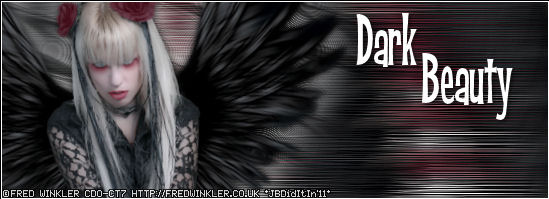
***Dark Beauty By JackieBeth, written on September 11, 2011***
***save as you go along***
***add drop shadows and resize/recolor when you see fit***
Items Needed
Paint Shop Pro/version PSPX was used to create this tutorial
tube/image of choice
Artist I Used: Fred Winkler
you MUST purchase a license at CDO store HERE to use his work
font of choice/font used in this tutorial: "Kid Captain PB"
filter Xero/Porcelain
filter Mura Meister/Copies
filter Tramages/Cirqueles
filter Tramages/Metal Peacocks
filter AAA Frames/Foto Frame
***********************************************************
open a blank transparent canvas size 550 by 200
copy and paste tube of choice to canvas
apply filter Xero/Porcelain: change blue to 0
free rotate tube left 9 degrees
place to left side of canvas
duplicate tube
select bottom tube layer
apply filter Mura Meister/Copies: Free Fall
apply filter Mura Meister/Copies: Line (change ONLY top value to 3)
crop entire canvas to size
adjust/blur/motion blur: angle 90, strength 100
apply filter DSB Flux/Blast: left 25
effects/edge effects/enhance
duplicate tube layer
select middle layer
adjust/blur/gaussian blur: 15
apply filter Tramages/Cirquelate: circles 48
apply filter Tramages/Metal Peacocks:
Tile Size 120
Offset 140
merge canvas visible
apply filter AAA Frames/Foto Frame: width 0, matte 1, opaticy 100
apply all proper credits
add names/phrases as you wish
help? comments? suggestions? questions? email me at [email protected]
***save as you go along***
***add drop shadows and resize/recolor when you see fit***
Items Needed
Paint Shop Pro/version PSPX was used to create this tutorial
tube/image of choice
Artist I Used: Fred Winkler
you MUST purchase a license at CDO store HERE to use his work
font of choice/font used in this tutorial: "Kid Captain PB"
filter Xero/Porcelain
filter Mura Meister/Copies
filter Tramages/Cirqueles
filter Tramages/Metal Peacocks
filter AAA Frames/Foto Frame
***********************************************************
open a blank transparent canvas size 550 by 200
copy and paste tube of choice to canvas
apply filter Xero/Porcelain: change blue to 0
free rotate tube left 9 degrees
place to left side of canvas
duplicate tube
select bottom tube layer
apply filter Mura Meister/Copies: Free Fall
apply filter Mura Meister/Copies: Line (change ONLY top value to 3)
crop entire canvas to size
adjust/blur/motion blur: angle 90, strength 100
apply filter DSB Flux/Blast: left 25
effects/edge effects/enhance
duplicate tube layer
select middle layer
adjust/blur/gaussian blur: 15
apply filter Tramages/Cirquelate: circles 48
apply filter Tramages/Metal Peacocks:
Tile Size 120
Offset 140
merge canvas visible
apply filter AAA Frames/Foto Frame: width 0, matte 1, opaticy 100
apply all proper credits
add names/phrases as you wish
help? comments? suggestions? questions? email me at [email protected]
